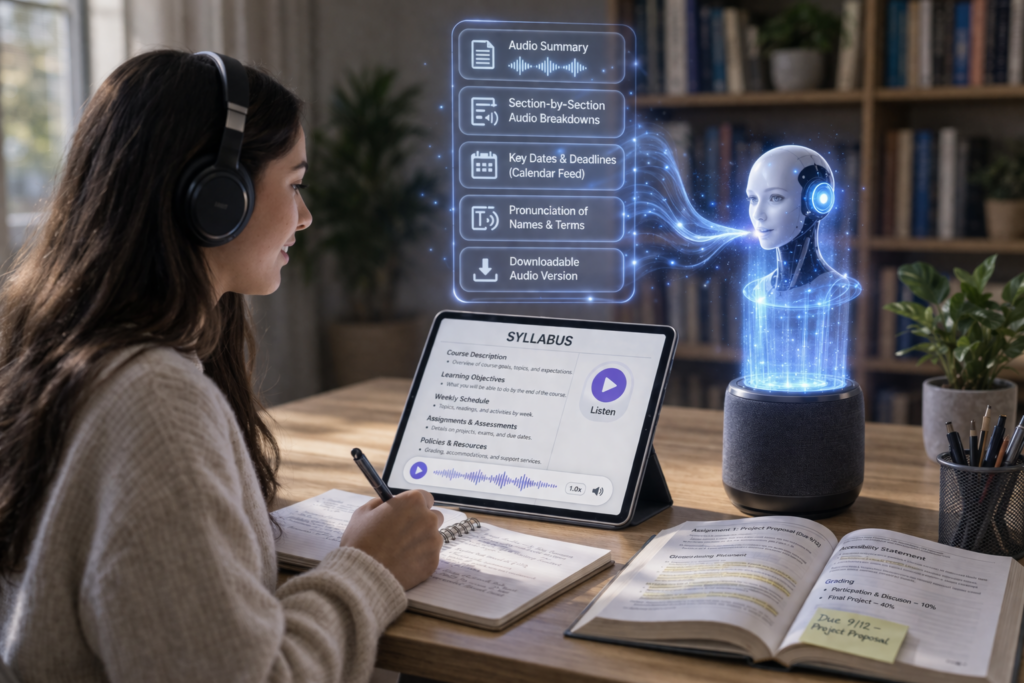
The traditional course syllabus is often a static, text-heavy document; a contract that is usually read superficially by the student and never again. But as the world of higher education is evolving into the paradigm of Universal Design for Learning (UDL), educators are coming to understand that providing accessible course materials is not just a checkbox exercise in compliance, but rather meeting the student where they are in the learning process. In the age of podcasting and multitasking, audio-enabling your course syllabus is one of the most effective ways to remove cognitive barriers and create a more accessible classroom.
The principles of inclusive pedagogy are based upon the understanding that each student learns in their own way. To the student with visual impairments, dyslexia, or ADHD, a sea of 12-point Times New Roman text is often a turn-off from the very beginning. By providing an alternative in the form of an audio version, you are not just serving the student with disabilities; you are serving the student-parent trying to learn the course requirements during their daily commute, or the English Language Learner (ELL) student who learns by the sound and rhythm of words.
The transition to an audio-first mindset doesn’t require a recording studio or a massive budget. With the rise of high-quality AI voice, educators can now convert complex text into natural-sounding speech that captures the nuances of human intonation. This technology lets you update your syllabus in real time.
Here are five actionable ways to audio-enable your syllabus and create a more resonant learning experience.
- The Welcome Note Podcast
Instead of a traditional written introduction, consider starting your syllabus with a short 3-minute trailer to introduce students to the course. This is not a reading of the material, but rather a brief overview of the why of the course, including the questions it will address and the skills it will equip you with.
According to research in the Journal of Educational Multimedia and Hypermedia, using an audio introduction to the course syllabus can have a dramatic impact on students’ sense of instructor presence, helping them feel connected to the instructor even before the first day of class.
- Strategic Audio Call-Outs for Complex Policies
All syllabi contain high-stakes elements such as a grading rubric, a policy regarding late work, and a policy regarding academic integrity. These tend to be areas where most misunderstandings take place. Adding audio snippets alongside these elements will help to further clarify them.
Audio annotations can help explain why a policy is in place, something text alone may not easily explain. For instance, rather than simply indicating a policy of No AI within a course, you can use audio to explain how this policy actually supports the development of critical thinking skills within your students. This approach supports the WCAG 2.2 guidelines by ensuring content is perceivable in multiple ways.
- Implementing Navigable MP3 Chapters
A 10-page syllabus is a lot to digest. If you provide a single, 20-minute audio file, students will likely get lost. Instead, use tools that allow for chaptering or provide a series of short, labeled MP3 files.
Modern Learning Management Systems (LMS) like Canvas or Blackboard enable users to directly embed audio files into specific modules. By organizing the course material into Course Logistics, Weekly Schedule, and Support Resources, students are able to search this audio material in much the same way they would search a PDF document. This is a key element in universal design because it allows students to access this material in the midst of a busy semester.
- Humanizing the Office Hours Section
One of the biggest hurdles in student success is the intimidation factor of office hours. Use audio to demystify this. In your audio-enabled syllabus, include a clip that explains exactly what happens during a meeting.
“Hi, I’m Professor Smith. During office hours, we can talk about anything from a confusing reading to your career goals. You don’t need a specific question to show up.” Hearing the warmth and invitation in a professor’s voice can be the deciding factor for a first-generation college student who might otherwise feel like they are “bothering” the faculty.
- Leveraging Collaborative Audio Glossaries
Many syllabi are packed with gatekeeping language, which is specialized jargon that can alienate students new to the field. An audio-enabled syllabus can include a talking glossary.
In addition, in case a student hovers over a technical term in this digital syllabus, an audio file may play, not only providing the definition but also pronouncing it correctly, bridging the gap for those students who have difficulty with phonological processing, so that the language of the discipline is not a barrier but an open door.
Conclusion: Sound as a Tool for Equity
The shift towards an accessible pedagogy acknowledges that the average student is a myth. Every classroom is a collection of diverse needs, schedules, and learning styles. Making an audio-enabled version of your syllabus is a low-lift, high-impact approach that takes us away from the one-size-fits-all model of the past.